Features How It Works Launcher Gallery Get App
๐Ÿ”Š SOUND ยท LAUNCHER ยท SIMPLE

Volume Controls, Right at Hand

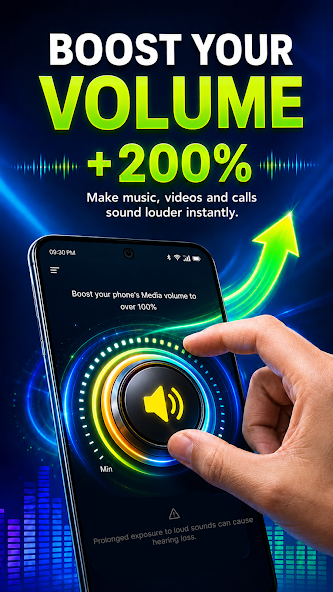
Want a faster and easier way to manage your phone's sound? Easy Volume Control combines convenient volume controls with a practical home screen launcher โ€” so everyday sound settings and apps are always just a tap away.

๐ŸŽตMusic & Video
๐Ÿ””Notifications
๐Ÿ Home Launcher
Easy Volume Control app screen
๐Ÿ”Š
Volume SliderOne-tap adjust
๐ŸŽต
Media BoostLouder music
MAIN FEATURES

Sound Settings,
Simplified

Everything you need to manage everyday audio and reach your favorite apps โ€” without digging through Android settings.

๐ŸŽต

Music & Video Volume

Quickly access and adjust the volume for music, videos, games, and other media playback.

๐Ÿ””

Notification Volume

Control how loud your notifications sound, so you never miss what matters or get startled.

๐Ÿ“ž

Ringtone & Call Volume

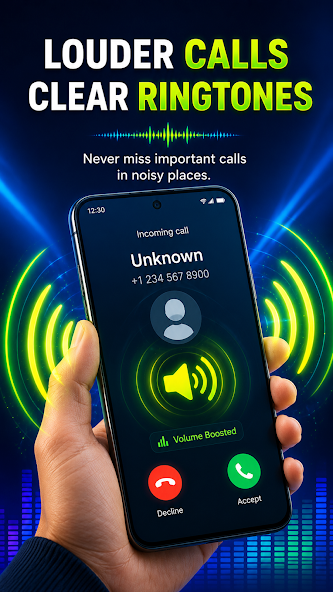
Set the right ringtone and call volume for ringtones and incoming calls in one place.

โฐ

Alarm Volume

Make sure your alarms are loud enough to wake you โ€” or quiet enough not to startle.

๐Ÿ 

Home Screen Launcher

Easy Volume Control also works as a launcher, giving you quick access to apps and tools.

๐Ÿ“ฑ

Quick App Access

Find installed apps, open your favorites, and access essential features directly from your home screen.

๐Ÿ–ผ๏ธ

Personalize Your Home Screen

Give your phone a fresh look with available wallpaper and personalization options.

โšก

Designed for Everyday Use

No need to navigate through multiple Android settings screens every time. Open the controls you need and make adjustments quickly โ€” that's the whole idea.

HOW TO USE

Three Steps to
Easier Sound

Set it up once and reach every everyday control from one convenient place.

01
๐Ÿ“ฒ

Open Easy Volume Control

Launch the app or use the home-screen launcher to reach volume controls instantly.

02
๐ŸŽš๏ธ

Adjust Your Sound

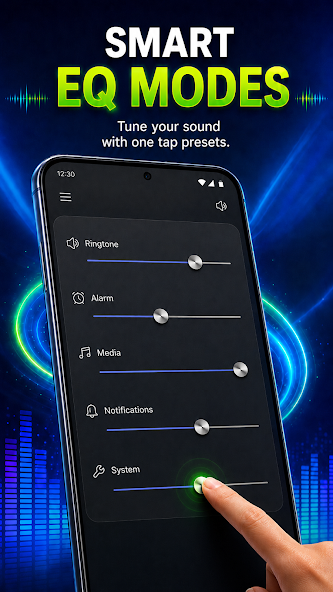
Move the sliders for media, notifications, ringtones, alarms, and calls to your liking.

03
๐Ÿ 

Enjoy the Launcher

Optionally set it as your default Home app to keep controls and apps within easy reach.

CONVENIENT HOME SCREEN

A Clean,
Simple Launcher

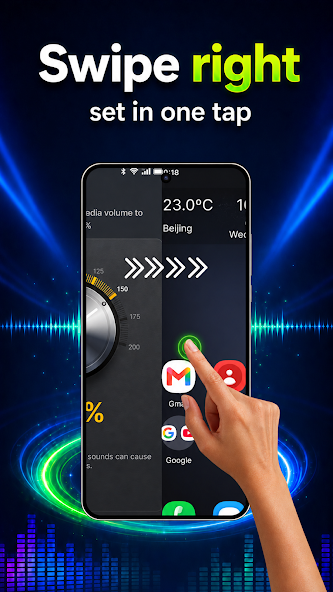
Easy Volume Control also works as a launcher, giving you a convenient home screen experience with quick access to your apps and useful tools. Keep the tools you use most within easy reach.

  • โœ“
    Quick access to installed appsBrowse and open your favorites in one place
  • โœ“
    Convenient volume controlsReach sliders right from the home screen
  • โœ“
    Easy app navigationA clean, simple interface for everyday use
  • โœ“
    Home screen personalizationChoose wallpapers and a style you like
โ†ฉ๏ธ If you choose Easy Volume Control as your default Home app, your home screen's appearance and arrangement may change. Your installed apps are not deleted โ€” you can access them through the launcher and switch back to another default Home app at any time through your Android system settings.
Home screen launcher preview
GOOD TO KNOW

Honest
Notes

๐Ÿ 

Optional Launcher

Choosing Easy Volume Control as your default Home app is optional. If you do, your home screen's appearance and arrangement may change โ€” but your installed apps are not deleted and remain accessible through the launcher.

โ†ฉ๏ธ

Switch Back Anytime

You can change your default Home app at any time through your Android system settings. Easy Volume Control can also be uninstalled at any time after selecting another launcher as your default Home app.

๐ŸŽš๏ธ

Supported Sounds

Volume controls cover supported system sounds including music, videos, notifications, ringtones, alarms, and calls. Availability of specific controls may vary depending on your device and Android version.

Simpler Sound.
Cleaner Home Screen.

Download Easy Volume Control and enjoy a simpler way to manage your sound and access everyday tools from your home screen.

Get It On Google Play

Free to download ยท Volume sliders ยท Built-in home launcher ยท Wallpapers